Air Purifier Tips: Get the Most From Your Levoit - VeSync

Levoit, Cosori, Etekcity Official Store
Tips for New Air Purifier Users: Getting Started With Clean Air
By VeSync
April 2, 2026 | 3 min read
1. The First Step: Setting Up for Success
Unbox & Place the Unit
Before you plug anything in, work through this quick setup checklist:
- Remove all exterior packaging from the unit.
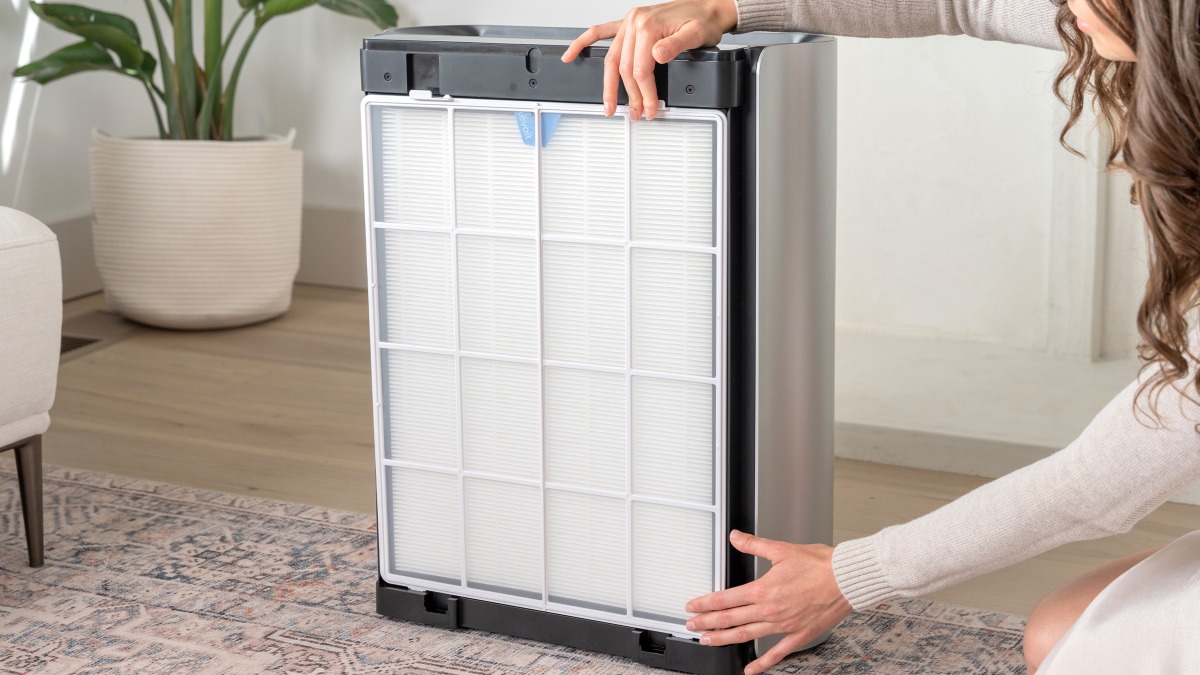
- Remove the plastic packaging from the filter inside the unit.
This is the most common new-user mistake. Running the air purifier with the plastic blocks all airflow and prevents any purification.
- Insert the filter according to the instructions in the user manual.
- Connect to power and turn the unit on.
For placement, keep the purifier at least 15–20 inches away from walls and furniture on all sides. An open, central location gives the unit the best opportunity to circulate and clean the full volume of room air, so avoid corners, which restrict airflow.
2. Mastering Smart Features for Effortless Air Purification
The Power of Auto Mode
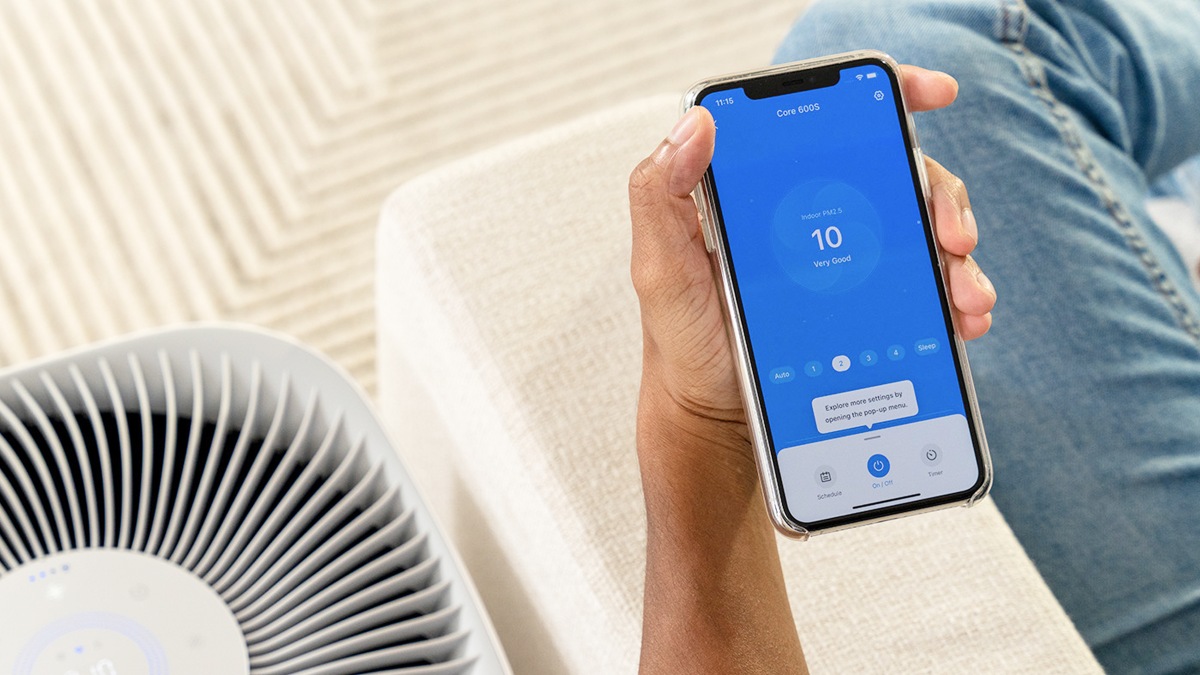
Auto Mode is the easiest and most effective setting for everyday use. The built-in sensor monitors air quality continuously and adjusts fan speed in real time. When conditions are clean, the unit runs quietly. When it detects elevated particles from cooking, open windows, or pet activity, the fan ramps up automatically to respond.
Customizing Your Schedule
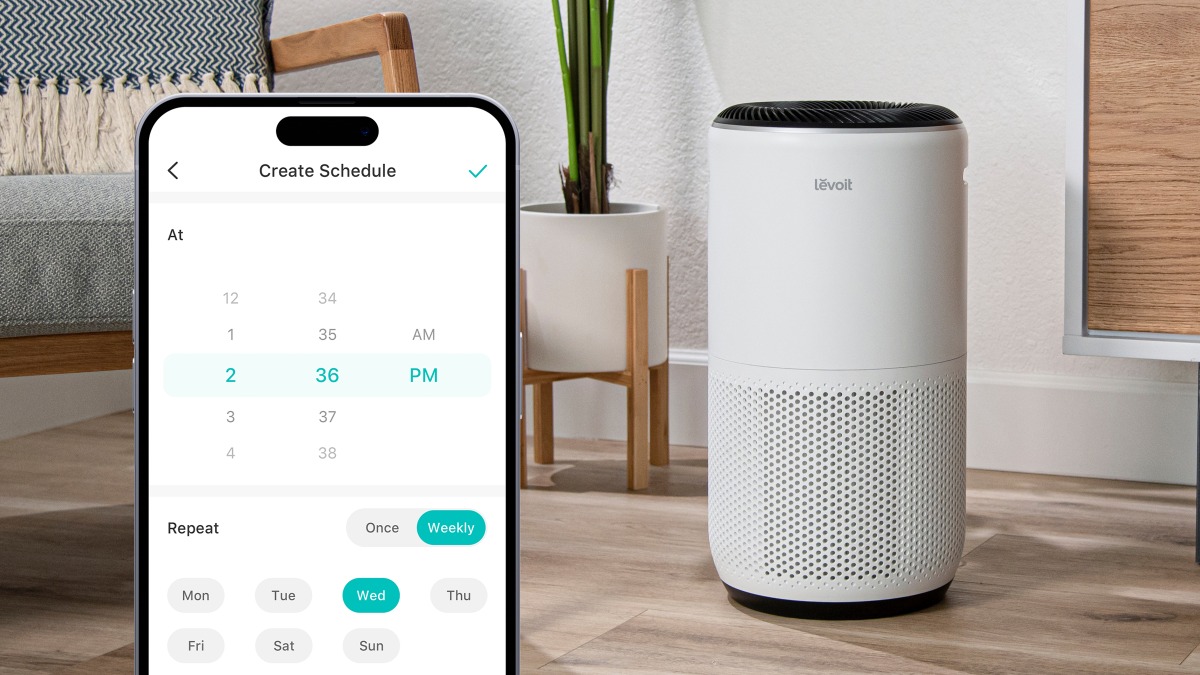
Use the timer and scheduling features to align your purifier with your daily routine. Run higher fan speeds during peak activity hours and switch to sleep mode at bedtime. This keeps air clean when it matters most while using energy efficiently throughout the day.
Taking Control With the VeSync App
The VeSync app connects your purifier to your phone, so you can monitor real-time air quality readings, adjust settings remotely, and review historical air quality data. For users who want full visibility into their home environment, the app makes it easy to see exactly how and when your air quality improves over time.
3. Essential Maintenance: The Secret to Long-Lasting Freshness
Why Filter Changes Are Non-Negotiable
A clean air filter is the foundation of everything your air purifier does. As filters fill up with captured particles, airflow becomes restricted, causing the motor to work harder. A clogged filter reduces CADR (Clean Air Delivery Rate) and delivers less effective purification even while consuming more energy. Staying current with air purifier maintenance protects both your investment and your results.
How to Monitor Your Filter Life
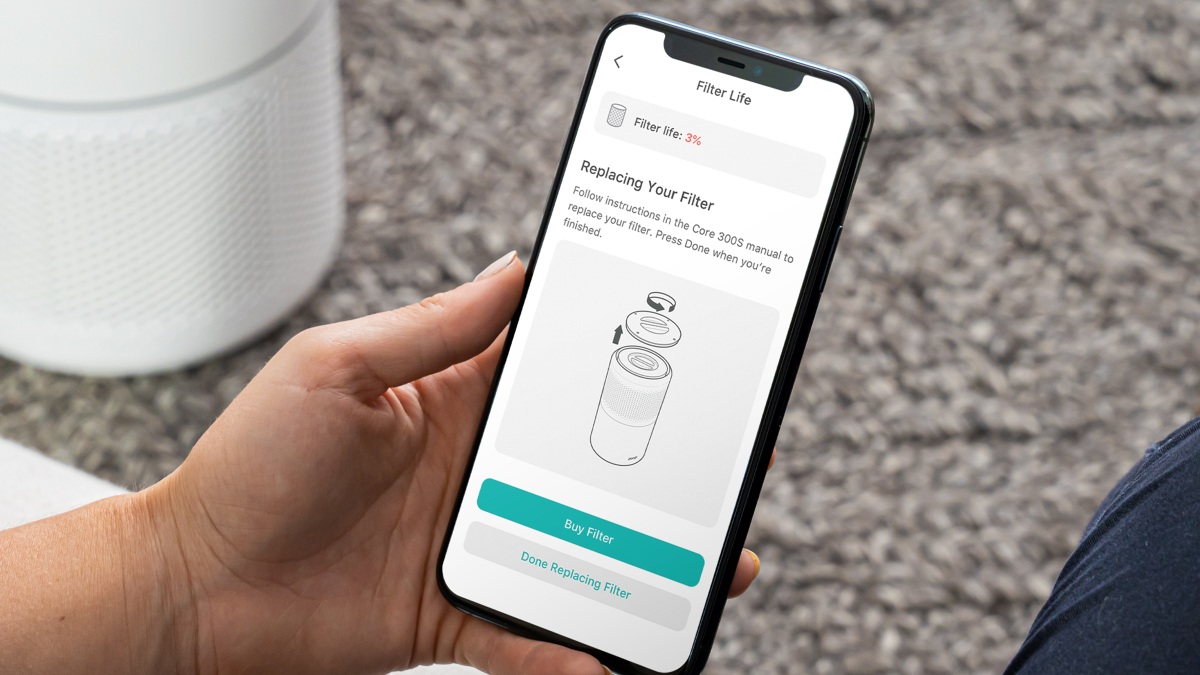
Your air purifier’s built-in check filter indicator activates when it is time for a replacement. Through the VeSync app, you can also track filter usage as a percentage, so you can plan ahead and order a replacement before performance is affected.
4. Understanding Your Filter Options
When to Replace Your Filter
The standard guideline for how often to change your air purifier filter is every 6–12 months. These factors can shorten that timeline:
- Pets: Dander and hair reduce filter life faster than typical household dust
- Smoking: Fine particles and residue saturate filters quickly
- Wildfire smoke or poor outdoor air: Extended exposure shortens filter life significantly
- High-pollen seasons: Allergen surges push filters to capacity sooner
Always Use Genuine Levoit Filters
Off-brand filters may appear compatible, but they often fail to create an airtight seal inside the unit. Even a small gap allows unfiltered air to bypass the filter entirely. Genuine Levoit replacement filters are guaranteed to fit precisely and deliver the certified filtration performance your unit was designed to provide.
Filter Subscriptions
Levoit's filter subscription program delivers replacements automatically on a schedule matched to your usage. It removes the hassle of remembering to reorder and typically offers savings compared to individual purchases, making it the smartest option for long-term air purifier maintenance.
5. Frequently Asked Questions
Should I leave my air purifier on 24/7?
Yes. Air quality shifts constantly and running your purifier continuously ensures particles are captured as they appear. Most Levoit devices are energy-efficient enough that all-day operation has minimal impact on your electricity bill.
How do I know if air quality is actually improving?
If you have a smart air purifier, the VeSync app will display real-time air quality readings and historical trends, so improvement is visible over time. Users may also notice practical signs such as less dust on surfaces and a fresh environment.
Can I wash my filter?
No. 3-stage and main/carbon filters must be replaced, not washed. Water damages the fiber structure responsible for capturing fine particles and ruins the filter's effectiveness. When it is time, replace it with a Genuine Levoit filter to restore full performance. Some Levoit models come with a washable pre-filter, but the main/carbon filter is not washable.